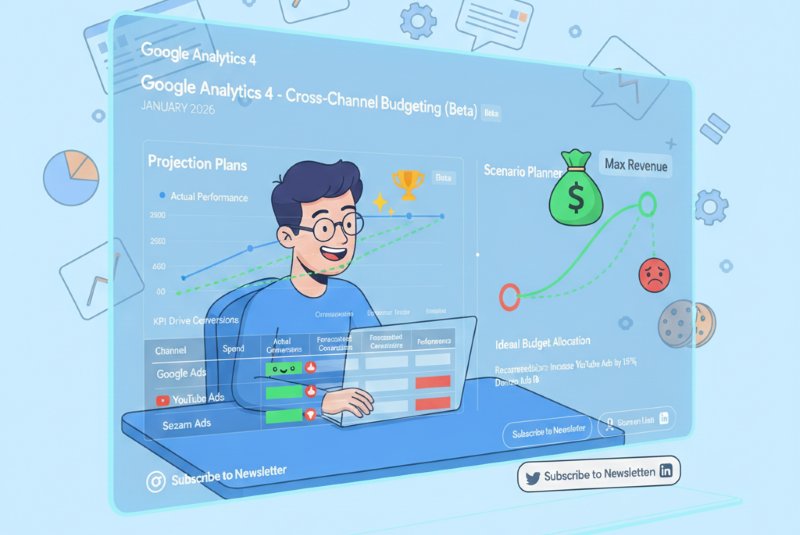
In January 2026, Google Analytics 4 will introduce new reports that will help marketers allocate budgets across marketing channels. I haven’t seen them in the Czech Republic yet, but based on the test environment and documentation, the reports look very useful. They should provide not only a look at history (how campaigns have performed so far), but also a forecast for the future (how campaigns will perform based on settings).
Will reports help with decisions such as “How much should we spend on Google Ads?” Does it make sense to increase investment in YouTube?
The feature is currently in beta and not available for all accounts. Google is currently working on rolling out the feature to all accounts.
The tool works exclusively with paid channels and uses historical data from your GA4 account in combination with information imported from marketing platforms.
Projection plans: Track your progress toward your goals
Projection plans are designed for monitoring ongoing campaigns. You create a plan with a specific goal, such as the number of orders. Google Analytics can then model and predict whether you will achieve your goal.
Modeling is not just a “simple” straight line interpolation—GA4 uses data from the last year to take into account seasonality and other trends.
How it works
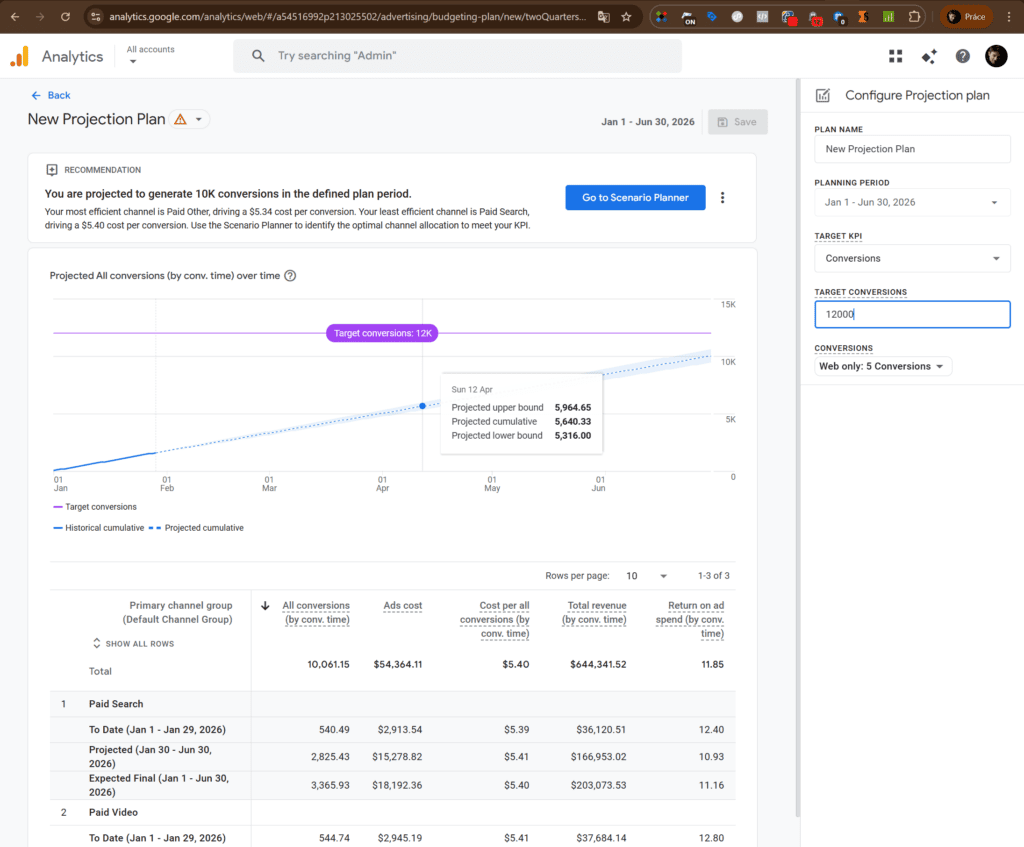
- Name the plan – for example, “Q1 2026 – e-commerce”
- Set the time period – for example, the entire quarter
- Select the key performance indicator (KPI) you want to optimize:
- Meet Budget Targets – spend the entire budget according to plan
- Drive Conversions – achieve the target number of conversions
- Maximize Revenue – maximize sales
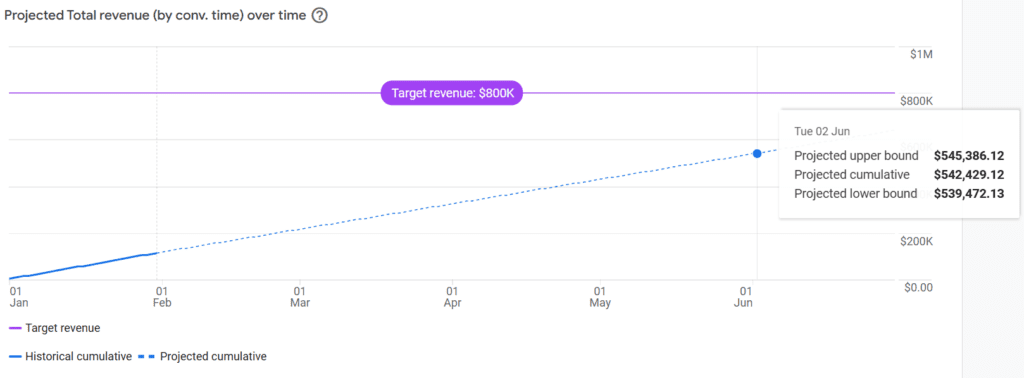
After creating the plan, you will see a graph with a prediction: the solid line shows actual performance to date, while the dotted line shows the projection until the end of the period.
What does this mean in practice?
Below the graph, you will find a table with a breakdown of the performance of individual channels. This will help you quickly identify:
- Which channels are exceeding expectations (and possibly spending unnecessarily)
- Which channels are lagging behind (and may deserve an increase)
- What is the impact on the overall goal
Scenario planner: Simulate “what if” scenarios
The scenario planner is used to find the best budget allocation across channels.
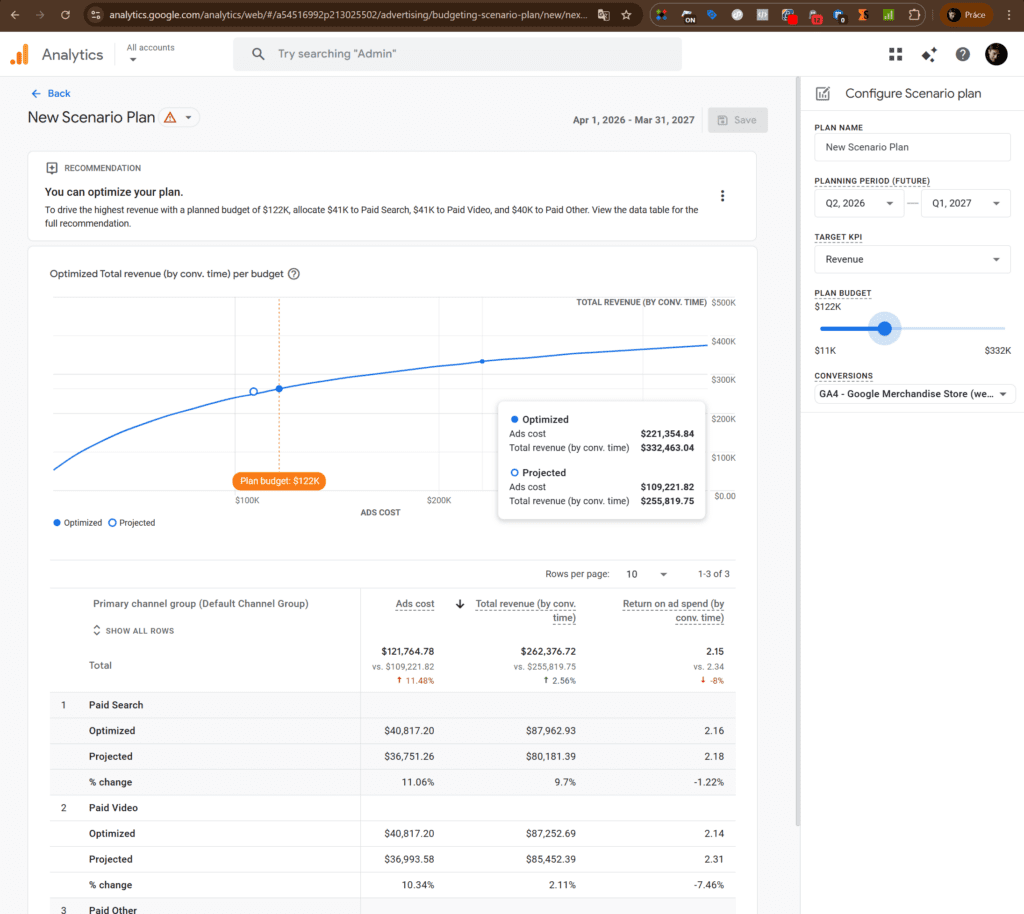
How it works
- Select a period – always choose by quarter
- Select a target metric – maximize conversions or maximize revenue
- Change your planned budget and see how it affects your campaigns
The curve shows a point (circle) – this is the ideal budget setting for maximum profit. If the current budget (full circle) is to the left of the ideal setting, you are not utilizing your marketing potential to the fullest. If the current budget is to the right of the ideal point, underperforming campaigns will eat into your profits.
The great thing is that Google Analytics also displays specific recommendations for budget allocation.

What you need to make it work
Cross-channel Budgeting is not automatically available to everyone. Your GA4 account must meet several conditions:
- At least one year of historical data – the model needs sufficient information to make predictions. Specifically, you need at least 12 months of data for each conversion you want to use in your plans. Please note: classic “key events” are not compatible—you must have actual conversions set up.
- Data from two or more channels – you must have data from at least two channels—at least one Google channel (linked Google Ads) and one non-Google channel (e.g., Meta, Seznam, Microsoft Ads).
- Linked accounts and imported data
- Google Ads must be linked to GA4.
- Non-Google platforms require data to be imported via Data Import (costs, campaigns).
- Paid channels only – the model works exclusively with paid channels. Organic traffic, direct visits, and referrals are not part of the budget model.
Warnings and notes
- Paid channels only – the model works exclusively with paid channels. Organic traffic, direct visits, and referrals are not part of the budget model.
- This is a beta version – features may still change and evolve.
- Do not take the outputs as dogma, but rather as recommendations for budget reallocation.
- This is purely a planning tool—it doesn’t change anything on its own, even if you have GA4 connected to Google Ads.
- In principle, it is a very simplified version of Google Meridian for Marketing Mix Modeling. However, Google itself claims that the outputs from both tools may differ—if only because they work with different channels, use different models, and take different things into account. But getting Google Meridian up and running is not easy at all. In contrast, Projection Plans and Scenario Planner are available in GA4 with almost basic settings.
Where to find reports
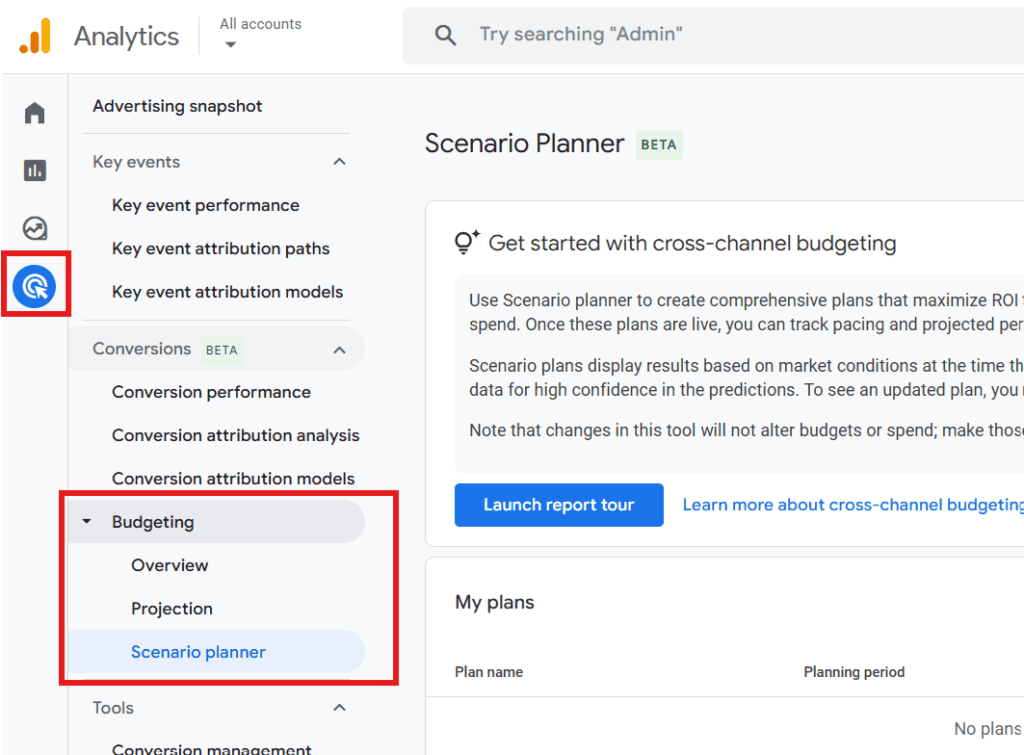
In the menu, look for Advertising and then the Budgeting section. If you don’t see it at the beginning of 2026, the change may not have been rolled out to your account yet. If you still don’t see the reports later, you probably don’t meet one of the above conditions.