
You can play the recording of the webinar on the website Seznam.cz.

Where are the links mentioned in the video?
- Sklik SEM administration – you can get SEM ID here
- Dummy eshop – configuration was presented here
- Google dokumentace GA4
Can I download the GTM setup example that was in the webinar somewhere?
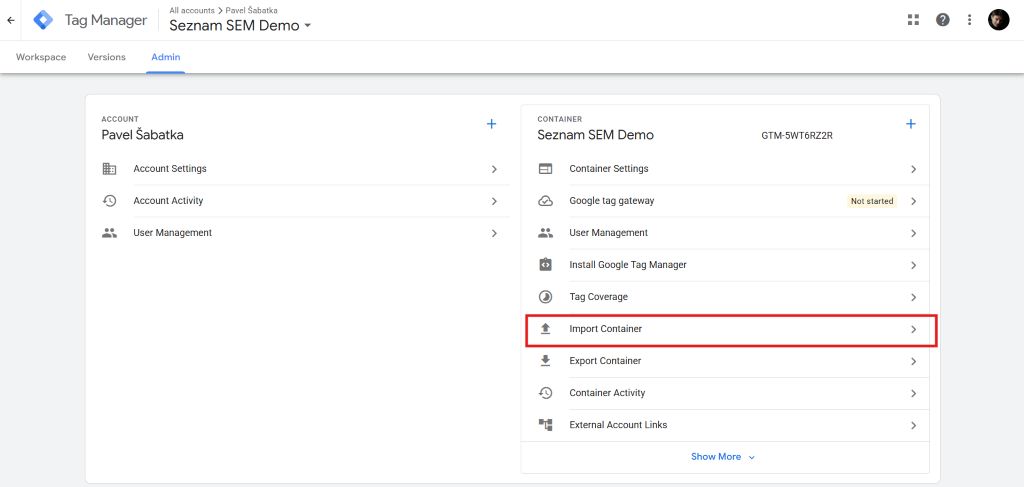
Sure! The steps are below. Just take it as an example – the settings work for the sandbox shown. However, the variables may have different names or work differently on your website.
You can download the configuration here:

You can then import the configuration into your GTM.
How do I design data in a dataLayer so that it is easy to read in a List SEM template?
It is ideal
- for ecommerce data (products displayed, cart, order,…) you can use the event structure in GA4 format.
- for the user structure you can use the user object structure on the template page.
What are the best practices for setting up a SEM List?
- Use the Template Gallery Template from
This makes updating templates much easier. Your future self will thank you for it. - Use Consent Mode v2
Setting up SEM List (and other platforms) will be significantly easier - Use identity-based matching
Pass email, phone, or address, etc. to the template – this will help the algorithms to refine the targeting of your campaigns.
Of course, only if you have the person’s consent to the transfer of pseudonymized personal data for marketing purposes.
Note: in the terms of personal data processing, you must clearly communicate that you are transferring this data to someone – if you do not have this in the terms, add information. - Use Server-Side GTM measurement
At least for measuring orders, but also other conversions, be sure to use server-side measurement.
This will help you increase the accuracy of measurement.
Note: GDPR also applies to server-side measurement! And you must deal with consent – just like with client GTM.
Need help setting up SEM?
I’d be happy to help you with measurement design, SEM, GTM, Server-Side GTM and other platforms setup. Write to me or send me a reservation for the first consultation.